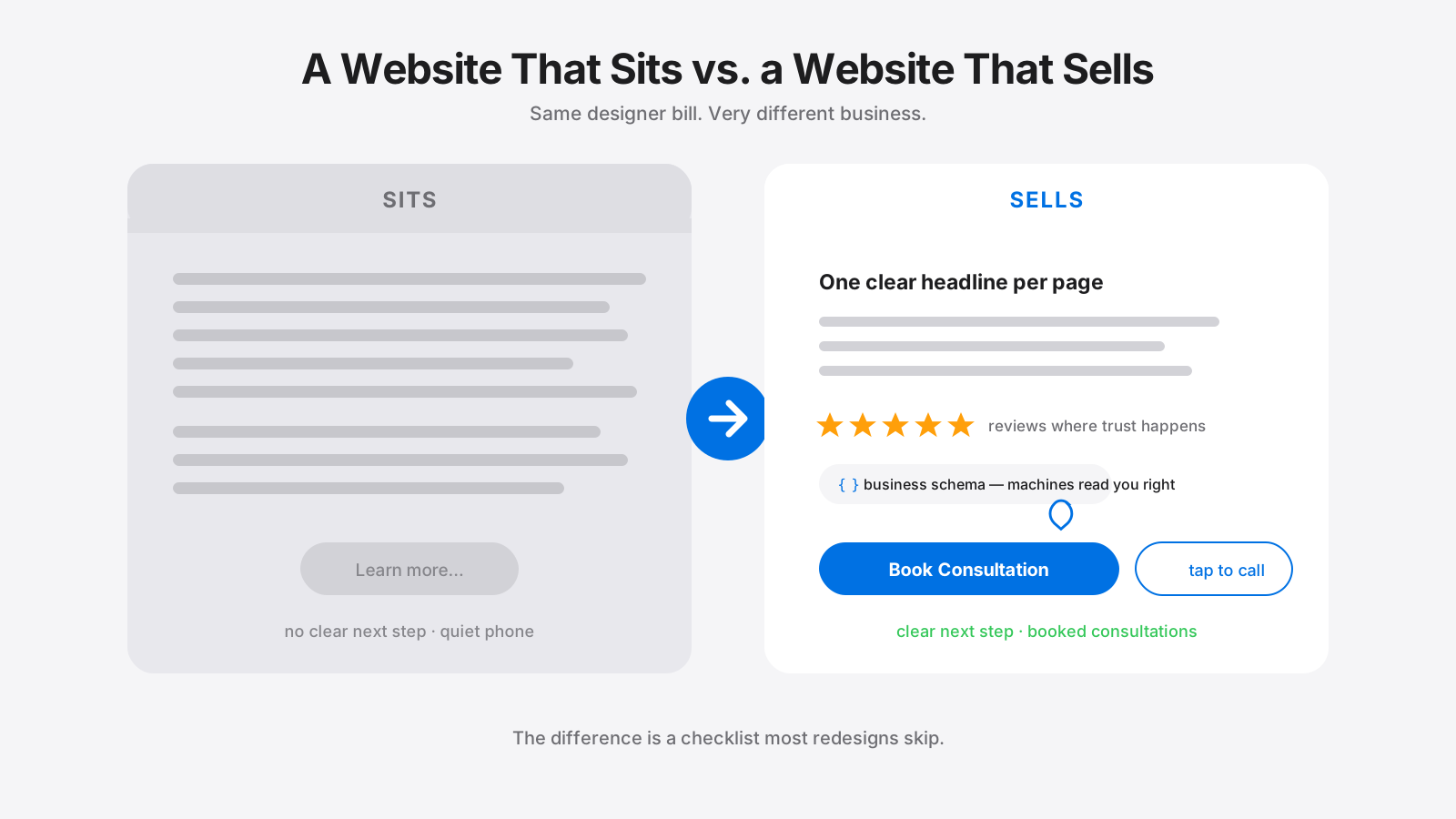
Jen Bak Realty: The Two-Minute Update A real estate agent website redesign in Las Vegas, before and after
A price changes on a Thursday, and the old website stays wrong all weekend. See the rebuild, and the two-minute listing update Jen now does herself.

changed at 9:00, live at 9:02.
The problem: a website that was wrong by Friday
A price changes on a Thursday. On the old Jen Bak Realty website, that meant a phone call, an email to a webmaster, a wait, and a page that stayed wrong through the weekend while buyers clicked away. After enough of those weekends, the site was describing a business that had moved on without it.
page on the old site, against a competitor's 2,656 indexed pages.2
conversion score in our audit. The market leader scored 82.
calls to action on the first screen, and no tap-to-call link anywhere on the site.
This is the story of the rebuild, and of the two minutes at the end where Jen updates her own listings without calling anyone.
A one-page template vs. a site she runs

The old site
- A slideshow of staged rooms, with no headline and no button
- A phone number that reloaded the page instead of dialing
- No Keller Williams branding; a footer credited a renovation side business
- Three fixed testimonials, while competitors showed 181 to 1,239 reviews
- Every price change meant calling a webmaster
The new site
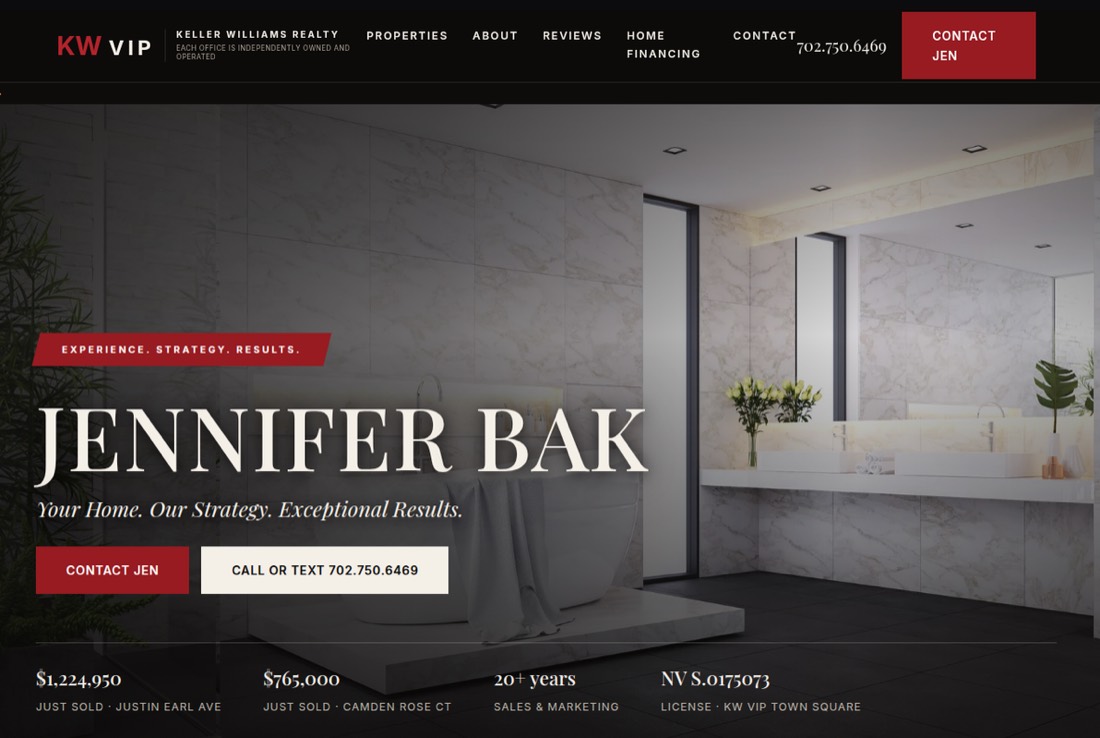
- Her name, a one-line promise and a Contact Jen button up top
- Call or Text, one tap, on every page
- KW VIP marks in the navigation and footer
- Real sold prices, live listings and a reviews section that grows
- Listings she updates herself, live on save
Four fixes, one rebuild
Visible at the top
A name, a promise, and two ways to act.
02Dressed for the brokerage
KW VIP marks, license number, bio.
03Content with a place to go
Sold prices, listings, reviews that grow.
04The two-minute update
Her own Listing Manager, live on save.
Part 1 of 4The old page: invisible at the top
The old site greeted visitors with a slideshow of staged interiors. No headline, no promise, no button. The phone number sat in the header, but tapping it reloaded the homepage instead of dialing, and there wasn't a single tap-to-call link on the site, while every major competitor had one. In Stanford's web credibility research, three in four people said they judge a business's credibility by its website design.1 This one was asking them to judge a photo carousel.
What changed: the first screen answers who she is, what she delivers, and how to reach her, with a button and a tappable number on every page.
Part 2 of 4Dressed for the brokerage
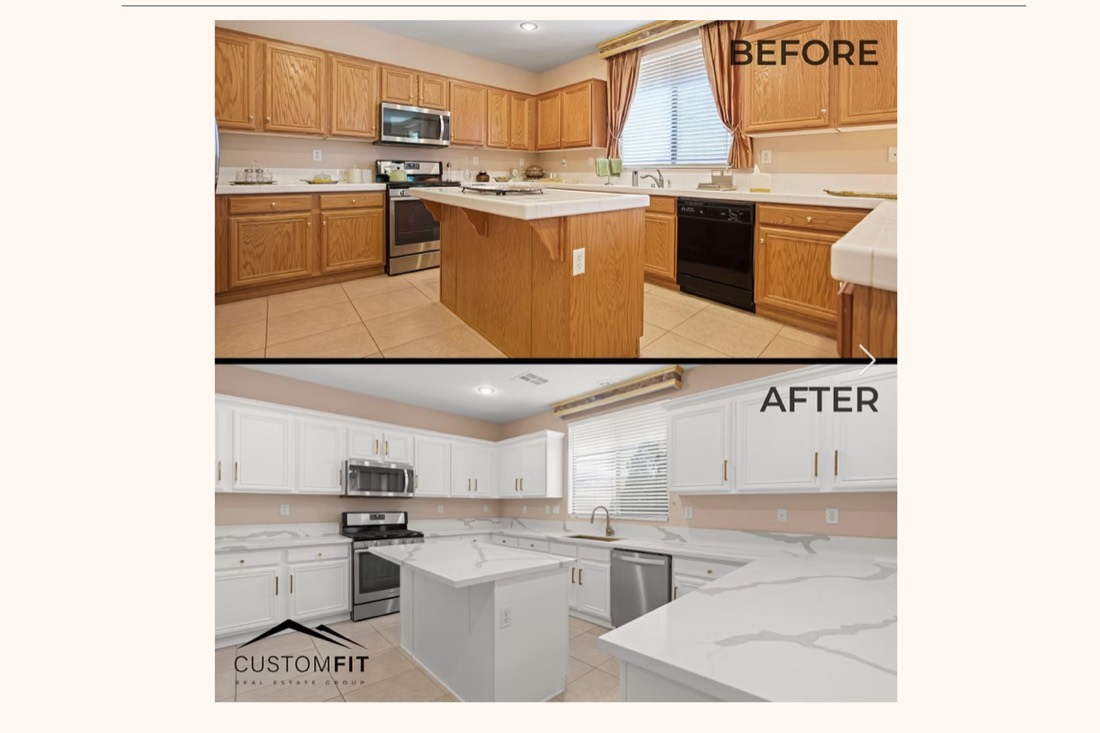

Jen carries the Keller Williams name on every business card and yard sign. Her old website carried none of it: a cream template, a script logo, and a footer that credited a renovation side business instead of her brokerage. The rebuild put the KW VIP marks in the navigation and footer and gave the site a charcoal and crimson look that sits well next to any listing photo.
In real estate the brokerage mark matters more than in most trades. A seller choosing between six agents gives the KW name a seat at the table before reading a word, because it stands for the brokerage's reach and its network of buyers. An unbranded personal site starts the pitch from zero.
What changed: her name, her license number, her brokerage and her bio, all on one screen.
Part 3 of 4The content that dated
The problem no screenshot shows is that the content stopped changing. Real estate content expires weekly: prices adjust, listings sell, reviews pile up. The old one-pager held three fixed testimonials while competitors showed 181 to 1,239 Google reviews each.
The new site has a place for everything that changes: real sold prices in the stats strip ($1,224,950 and $765,000), live listing cards with an Ask About This Listing button, and a reviews section that grows. Nothing on the old page had a place to go, so nothing went anywhere.
What changed: the site shows proof that's current this month: what she sold, what's for sale, what clients say.
Part 4 of 4The two-minute update
The rebuild came with a private Listing Manager that Jen runs herself. The first screen lists every property with its status, price, beds, baths, square footage and photo count.

Tap Edit and the full listing opens: address, price, status, beds, baths, square footage, description and photos. Uploads resize and convert themselves, so a twelve-megabyte phone photo becomes a fast-loading image without opening an editor. Reordering photos is two arrows.
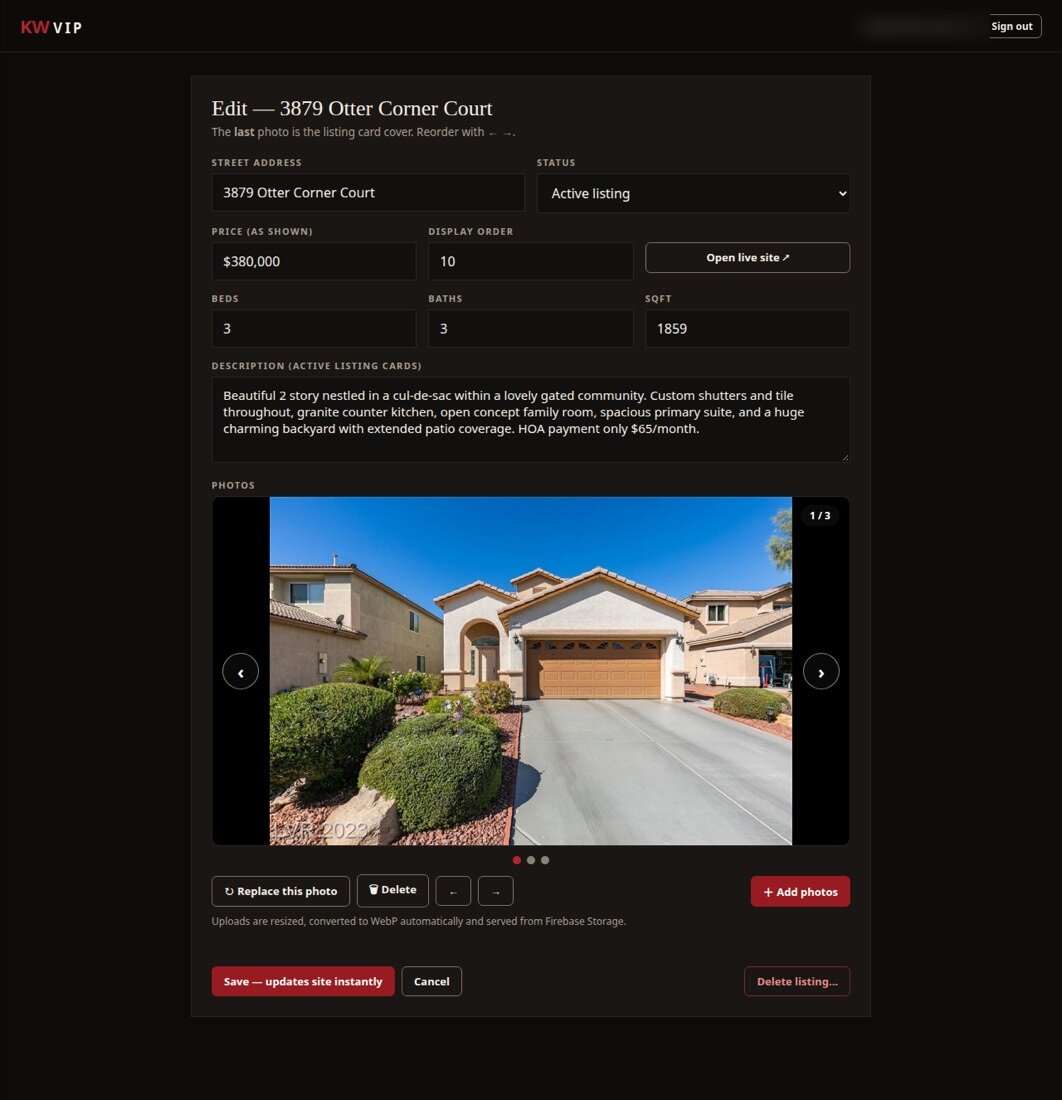
Then the red button: Save, updates site instantly. No draft, no publishing queue. The price she changed at 9:00 is correct on her website at 9:02, and the only person who touched it was Jen. A new listing is the same form, blank, and goes live when she saves.
Why it matters: a website you can't update is a brochure that's wrong by Friday. One you update yourself stays right.
Same agent, current site
Jennifer Bak, Keller Williams VIP, Las Vegas: from a one-page template to a site she runs herself.
The dark look and the KW marks are handsome, but they matter less than the two minutes only Jen can do. The audit named the gaps, the rebuild closed them, and the Listing Manager keeps them closed.
- A first screen that says who she is and how to reach her
- Tap-to-call on every page
- Her brokerage, license and bio up front
- Sold prices, live listings, growing reviews
- Listing updates by Jen, live in about two minutes
The can't-update trap
A new design that only a webmaster can change starts going stale the day it launches. In real estate, where prices move weekly, that's most of the problem.
A website you can't update
Right on launch day- Price changes wait on a webmaster
- Sold homes still listed for weeks
- Reviews frozen at three
- Photos that need an editor first
A site you run yourself
Right every week- Change a price, live on save
- Mark a home Sold in one tap
- A reviews section that grows
- Phone photos resize themselves
Is your website still showing last month?
Your free snapshot shows how your site and reviews compare with your 5 top local competitors, and what to fix first.
Get my free snapshotFree · Delivered in 2 business days · No credit card
We rebuild websites and take on the marketing jobs small business owners keep putting off. Every post here comes from our own client work. What we do →
Sources
- Stanford Persuasive Technology Lab, Stanford Web Credibility Research (Fogg et al.).
- Page counts, conversion scores and competitor review counts: CompeteFocus audit of the old site and local competitors, 2026.